.png)
.png)
Today’s business continuity software tools offer impressive capabilities, but for many organizations the experience of buying and owning such tools is disappointing. By avoiding the most common mistakes, companies can ensure that the decisions they make about BC software truly lead to improved efficiency and strengthened resilience.
Related: BCM Software Buyer’s Guide: Five Things to Know Before You Buy
The Benefits of BC Software
Business continuity software tools can be a game changer. They can help organizations assess their programs, evaluate compliance with standards, perform business impact analyses (BIAs), aggregate data, develop and store documents, update recovery plans, create reports, and more. Used well, such tools can save time, help gain management support, improve incident response, reduce downtime, and boost resilience.
MHA consultants use BC software every day in working with our clients, specifically our proprietary BCMMetrics suite. (More about BCMMetrics below.)
For many small organizations, most midsize ones, and all large ones, there are clear advantages to using specialized BC software to manage the continuity program over doing it manually, with Word and Excel.
The breadth of potential benefits to be gained from such tools makes it all the more unfortunate that, for many organizations, the experience of buying or subscribing to such a tool is often notable for the waste, frustration, and disappointment it causes.
A Cautionary Tale from the Laundry Room
The topic of choosing BC software reminds me of the experience of shopping for a clothes dryer, something I recently had to do.
Modern dryers come with a dizzying array of specialized features, from smartphone controls and steam functions to settings for every type of fabric. If your family is like mine, you use the same two or three settings almost all the time. The others mostly add expense, confusion, maintenance costs, and potential risk.
There are a lot of similarities between buying a new dryer and shopping for BC software.
Common Mistakes in Shopping for BC Software
We're is frequently called in to advise clients on tool selection or use. Over the years, we’ve seen the same handful of mistakes crop up time and again when organizations shop for business continuity software.
Here are the missteps we encounter most often:
Chasing the “best BC tool.”
There is no single best BC tool. Many excellent platforms exist. The key is finding the one that fits your organization, program, staff, and needs.
Starting with the tool instead of the problem.
A common trap is falling in love with a particular tool and then trying to make it work. Buying a platform first and then finding things to do with it is a classic case of letting the tail wag the dog.
Overlooking administrative costs.
Shoppers frequently underestimate the time, effort, and maintenance required to keep a tool functional and up to date.
Ignoring the burdens of ownership.
Fancy features often rely on complete, current data to work properly. If that data isn’t maintained, the feature loses its value.
Overlooking existing capabilities.
Many organizations already have tools, such as IT service management (ITSM) platforms, that include BC functionality. Failing to assess what you already own can lead to unnecessary purchases.
Being seduced by dreamy “future” features.
Specialized functionality can look appealing in theory, but organizations rarely need every feature immediately, or ever.
Underestimating training and adoption challenges.
Even the most powerful tool is useless if staff can’t learn it or remember how to use it from quarter to quarter. Tools with steep learning curves often end up going unused.
Overestimating organizational needs.
Large, complex organizations may benefit from features such as detailed impact mapping. Smaller or midsize organizations often don’t need this level of sophistication to operate effectively.
Misallocating time and resources.
Shopping for a splashy new tool can feel like it’s moving your program forward, but for many organizations, the time and resources would be better spent training staff, conducting exercises, or tending to some other foundational aspect of preparedness.
Individually, any one of these mistakes can limit the value of a BC tool. Together, they explain why well-intentioned software investments frequently end up underused or abandoned.
Tips for Shopping Rationally for BC Software
Here are some practical tips to help you shop for BC software more deliberately and effectively.
1. Choose a tool that fits your organization.
Not every BC platform is right for every organization. Consider your size, industry, budget, and program complexity. A solution that works beautifully for a large, highly regulated enterprise may be overkill for a small or midsize organization, while a lightweight tool may not meet the needs of a global enterprise.
2. Start with your pain points, not with a tool.
Before shopping for software, identify the key problems you’re trying to solve. Ask questions such as: Where are we currently spending a lot of time? What parts of our BC program are genuinely difficult or inefficient today?
3. Treat features as costs until proven otherwise.
It’s easy to be impressed by software with a multitude of features. Be realistic about how many of them you will actually use and what it will take to keep them operable.
4. Understand the data burden before you buy.
Many BC tools assume large amounts of structured data, such as application dependencies, infrastructure mappings, and process linkages. Ask yourself where that data will come from, who will maintain it, and how often it will be updated.
5. Question whether the output is something you truly need.
Some tools excel at producing detailed impact maps or dependency analyses. Such outputs are only valuable if your organization uses that type of information during incidents. In many cases, the data already captured in BIAs or plans may be sufficient.
6. Look closely at what your organization already has.
Many organizations already use platforms such as ITSM tools that include BC-related functionality. These tools may meet your needs.
7. Start small and scale deliberately.
You don’t have to buy the biggest, most comprehensive solution. Starting with a simpler approach allows you to confirm value before expanding. Buying functionality “for future use” often results in paying for capabilities that never get adopted.
8. Prioritize ease of use for the wider organization.
A platform that only the BC team can navigate is rarely efficient. The business units are unlikely to use a tool with high training or update demands.
9. Don’t let software crowd out the fundamentals.
The time and resources you might spend researching, buying, and maintaining a complex new software tool might be better spent on training and exercises.
By applying these tips, your organization can choose a tool that supports preparedness rather than driving it, keeping the focus on people, processes, and real-world readiness.
Designed by Practitioners, for Practitioners
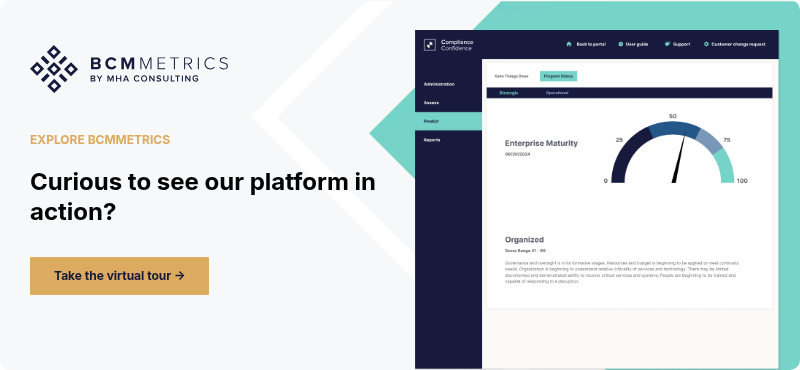
There are many excellent BC tools on the market. The platform we use every day in our client engagements is BCMMetrics, which MHA created. BCMMetrics is available to the public by subscription, on a bundled or modular basis.
The platform includes the tools Compliance Confidence (to evaluate alignment with industry standards), BIA On-Demand (to conduct business impact analyses efficiently), BCM Planner (to build and share continuity plans), and BCM One (to map facilities and connect their recovery plans).
We use it on all our engagements, whether for small organizations or Fortune 100 corporations, and across the full range of industries.
BCMMetrics has an intuitive interface that is easy for BC teams and the business units to use. It is focused on core BC functions without unnecessary extras. It is quite cost-effective compared with larger, more complex platforms. However, it may not include the advanced features desired by some very large or highly complex enterprises.
We’re currently exploring ways to leverage AI to make BCMMetrics more efficient and insightful. For organizations seeking a no-nonsense, professionally informed BC tool, BCMMetrics offers a balanced, practical approach to program management.
Ensuring That the Dog Wags the Tail
Business continuity software can deliver real value, but only when the dog wags the tail instead of the reverse. Organizations that start with their pain points, understand the demands of different features, and resist the lure of unnecessary complexity are more likely to end up with a tool that delivers lasting benefit.
Many common disappointments stem from predictable mistakes: overestimating needs, underestimating administrative effort, overlooking existing capabilities, and allowing features to drive decisions. Avoiding these traps requires shopping with discipline and realism.
Organizations that wish to evaluate their options, clarify requirements, or select a tool that fits their program don’t have to navigate the process alone. MHA Consulting can help you assess your needs, avoid common pitfalls, and choose or configure tools that support real-world continuity work, whether that’s BCMMetrics or another platform. Contact MHA today to learn more.
FAQ
What is business continuity (BC) software?
BC software helps manage continuity work such as BIAs, plan documentation, updates, reporting, and program tracking so the work is easier to run and easier to keep current.
What are the most common mistakes when buying BC software?
Leading with “best tool” thinking, buying before defining the problem, underestimating admin effort, and choosing complexity that the organization will not maintain.
How do I choose the right BC software for my organization?
Start with the specific outcomes you need (time saved, reporting, plan consistency, BIA efficiency), then validate fit against your program size, staffing, and ability to maintain data.
How can we evaluate BC software without a long buying process?
Run a short pilot focused on 1–2 core workflows (for example: one BIA cycle and a plan update cycle), with real plan owners, and measure effort, completion rate, and reporting quality.
Who should own BC software internally?
A program owner (often BC, risk, or resilience) should own outcomes and governance. Day-to-day admin may sit with BC, but adoption requires business unit accountability for updates.