.png)
.png)
Most business continuity management (BCM) tools look great on paper. The demos are smooth, the feature list is long, and the vendor makes it sound like your whole program will run itself.
But anyone who’s lived through a real rollout knows the truth hits later—when the tool’s no longer new, people are busy, and your team quietly slides back to spreadsheets and shared drives because updating the system feels like wading through wet cement.
If you want software your team will actually use, you have to evaluate it differently. Features matter, sure, but adoption decides whether your plans stay current, your recovery time objectives (RTOs) stay aligned, and your evidence holds together when someone asks you to prove how the program works. This guide walks through what to look for based on the real reasons tools fail once the vendor leaves and the day-to-day reality settles in.
Five Practical Criteria for Choosing a Business Continuity Tool Your Team Will Actually Use
1. Templates that pull the whole organization into one format
A good BC tool gives every site the same structure for RTOs, dependencies, and recovery steps, so you stop cleaning up formatting quirks and plan drift. Structure does the heavy lifting, not manual oversight.
2. Version history that makes the “real” document obvious
Clear update trails—who changed what, when, and why—remove any doubt about which version to trust. Trails give people enough confidence to work from the system instead of keeping their own copies “just to be safe.”
3. Dependency mapping that reflects how teams actually think about their work
The mapping should follow the logic of the organization—process to system, system to location, location to team, and team to vendor—so contributors can capture information without pausing to figure out the tool.
4. Update paths that fit into the cracks of a busy day
The system your team is most likely to adopt is the one that merges into the workflow. The fewer screens and clicks it takes to adjust an RTO, swap a point of contact (PoC), or revise a step, the more often updates happen, and the more trustworthy your program becomes.
5. Reporting that builds itself as the work gets done
When BIAs, plans, dependencies, tests, and changes collect in one place and stay aligned automatically, you can generate a clean snapshot for leadership or auditors without pulling a marathon the night before.

Questions that Expose Adoption Problems Before You Buy
It doesn’t take long for a few pointed questions to cut through the smoke-and-mirrors that make every tool look effortless in a demo. The way vendors answer them says a lot about how the system will hold up once your team starts using it.
“How would a non-BC user update a contact?”
If the workflow only makes sense to an administrator, everyday contributors won’t use the tool, and your data will soon fall out of date.
“How many clicks does it take to update one RTO?”
The longer the path, the faster adoption dies. Small updates have to feel quick or they won’t happen when the pace picks up.
“What happens if someone uses the wrong template?”
Systems that let people improvise formats guarantee straying. Systems that guide them into the right structure prevent it.
“How does the tool keep BIAs, plans, dependencies, and tests in sync?”
Manual links fall apart after the first update cycle. Built-in alignment survives real-world use.
“What percentage of your customers log in every month?”
Vendors rarely want to answer this. High usage means the tool fits into the rhythm of actual work. Low usage means you’re buying something people abandon.
Red Flags that Predict a BC Tool Will Get Abandoned
These are the signs that tell you—before you ever buy the tool—that your team won’t adopt it. They show up in every demo if you’re paying attention, and they’re usually the same signs people look back on later and wish they hadn’t ignored:
- You’re asked to configure a long list of settings before the tool can do anything useful.
When a platform needs that much prep just to get off the ground, it usually loses momentum long before the rollout reaches everyday users.
- Basic updates require an administrator’s help.
If contributors can’t change a contact, adjust an RTO, or upload a file on their own during the demo, they’re not going to engage with the system once it’s live.
- Each site is allowed to create its own template.
When a tool doesn’t guide people into one shared structure, formats splinter fast, and the cleanup work becomes endless.
- The interface feels like something you need to study before using.
If people hesitate or look lost while clicking around, they’ll default back to whatever feels easier the moment work competes for their attention.
- The vendor spends more time pitching integrations than showing a clear workflow.
Connections are great, but they won’t matter if the core experience feels heavy or confusing.
- The vendor says, “You can do anything with it.”
That usually means long customization cycles, consultant hours, and a level of complexity your team won’t keep up with.
Why Adoption is the Only Reliable Predictor of BC Software Success
In organizations with many sites—hospitals, credit unions, universities, utilities—continuity only works when dozens of people across the system keep their part of the program alive: one facility updates a plan, another adjusts a dependency, a third changes a contact after a staffing shift. The BC team can guide the work, but they can’t carry it alone. If the people closest to the information don’t use the tool, everything upstream starts to wobble.
That’s why the real measure of BC software isn’t the size of the feature list or how polished the dashboard looks. It’s whether your people keep the information current when they’re tired, busy, or pulled into something urgent. A tool that fits into the rhythm of everyday work builds a reliable program over time.
This is the part most software evaluations miss. The value of BC software is measured by whether your people actually use it—week after week, site after site—because that’s the only way the program stays trustworthy when you need it most.
How BCMMetrics Keeps Teams Using the Tool (Long After Go-Live)
BCMMetrics works because it’s built on more than twenty-five years of MHA’s field experience watching programs succeed, stall, or fall apart in organizations.
That experience shaped a platform that fits the way people actually work: fast updates, distributed ownership, and dozens of contributors making small changes that keep the program alive. Adoption isn’t an afterthought in BCMMetrics; it’s the design principle.
The system reinforces that design in simple, practical ways that keep teams using it long after go-live:
- Everyone works from the same structure, so sites stop creating their own formats. The platform gives teams clear, consistent templates and lets structure handle the alignment work.
- Plans stay tied to the right location, so contributors always know what belongs where. Location-based storage removes hunting, guessing, and misfiled documents.
- Updates feel quick, even for non-BC users. PoCs, dependencies, and small plan edits take seconds, not a multi-step workflow.
- Reporting builds itself, because the platform captures version history, changes, and actions as people work—turning audit prep and leadership updates into a few clicks instead of a weeklong scramble.
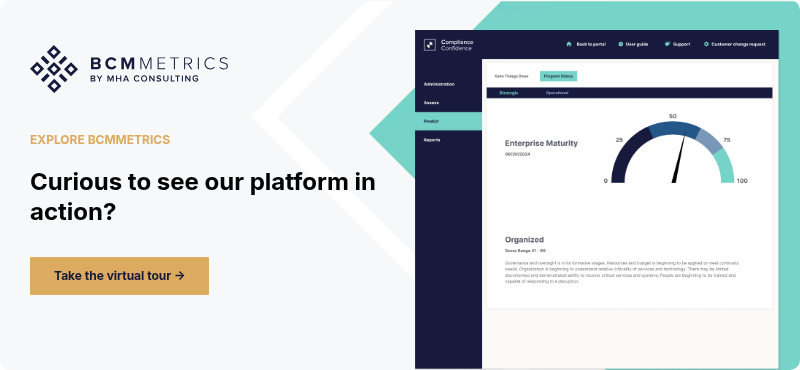
If you want to see how that looks in practice, you can take a virtual tour or schedule a walkthrough of the platform.
FAQ
Why is adoption more important than features when choosing BC software?
Adoption matters more than features because a tool only works when people keep it up to date. Even the most capable platform fails if contributors avoid it, updates fall behind, or information spreads across shared drives. Adoption is what keeps plans current, RTOs aligned, and evidence reliable.
What usually causes BC software to get abandoned after rollout?
BC software gets abandoned when everyday tasks feel too slow or too complicated. Long update paths, confusing interfaces, inconsistent templates, or admin-only workflows push contributors back to spreadsheets. Once updates stop, the entire program drifts away from reality.
What should we look for to tell whether our team will actually use a tool?
The best predictor of adoption is how the tool handles small, routine updates. If a non-BC user can adjust a PoC, fix an RTO, or upload a document without hesitation, the system will hold up. If those tasks feel heavy during the demo, the tool won’t survive real-world use.
What role do third-party providers play in an FFIEC BCM review?
Third-party providers play a significant role in FFIEC BCM reviews because their resilience directly affects yours. Examiners look for documented dependencies, contract language, SLAs, and proof that you understand how a vendor’s recovery posture feeds into your own continuity strategy, as outlined in Appendix J.
How can we tell if a BC tool will stay consistent across multiple sites?
You can judge multi-site consistency by whether the system enforces one structure across all contributors. Tools that let sites choose formats or improvise templates create extra work and conflicting versions. Tools that guide everyone into the same framework keep plans aligned without policing.