Location-based incident logging means tying each response update to the site or operational area it affects, along with the time, source, impact, decision or action, and required follow-up.
That context matters because the same event can create different operating conditions at different locations. An enterprise timeline may be chronologically accurate but still leave the response team unsure which site is closed, which workaround is active, which contact verified the update, or where the next decision is required.

For multi-site or regional disruptions, a useful incident record usually needs two layers: an incident-wide view and clearly identified site-specific entries. A single-site incident may require only one location record.
In short
- For multi-site or regional events, maintain one incident-wide view and preserve site-specific conditions, decisions, and actions beneath it.
- Distinguish verified facts, decisions, actions, requests, and unresolved questions.
- Record the affected location, timestamp and time zone, source, operational impact, owner, status, and next update.
- Define who maintains the record and who can see sensitive information.
- Test the process against single-site, multi-site, and regional scenarios before an actual event.
What Location Context Adds to an Incident Log
An incident log is more than a timeline.
The Federal Emergency Management Agency's ICS Form 214 Activity Log records notable activities, events, communications, assignments, completions, and difficulties. FEMA also identifies the log as a reference for after-action reporting. ICS forms are emergency-management tools, not universal requirements for corporate BCM programs, but the logging principles are transferable.
Location context adds the operational question: Where does this update apply?
For a single-site incident, the answer may be obvious. It becomes less obvious when:
- One system outage affects several facilities differently.
- A regional weather event develops unevenly.
- One site activates a workaround while another remains operational.
- An enterprise decision applies only to a defined group of locations.
- Local safety or access conditions change faster than the broader incident.
FEMA's March 2023 ICS Training Reference Guide describes a common operating picture as a continuously updated overview shared across participating organizations and locations. Corporate continuity teams do not need to reproduce the full Incident Command System to apply the underlying principle: shared information is only useful when people can tell where it applies.
Facility records provide the background. The incident log records what is happening now.
The BCMMetrics facility-mapping guide covers the contacts, plans, layouts, access conditions, and dependencies that should be organized before an event. Location-based incident logging uses that site context while the response is active.
What Every Location-Based Incident Entry Should Contain
The log should be detailed enough to support decisions, handoffs, briefings, and review without becoming a transcript of every message.
A practical minimum field set is:
| Field | What it should capture | Important guardrail |
|---|---|---|
| Incident ID | The enterprise incident or event the entry belongs to | Use one stable identifier throughout the response |
| Date and time | When the event, update, decision, or action occurred | Include the time zone when sites span regions |
| Location | Site, building, floor, area, or operational unit affected | Use consistent site names or identifiers |
| Entry type | Verified fact, decision, action, request, assumption, or open question | Do not present an assumption as confirmed information |
| Source | Who or what provided the information | Record whether the information has been verified |
| Current condition | A concise, factual description of what has changed | Avoid conclusions not supported by the source |
| Operational impact | The effect on people, access, systems, equipment, services, or critical activities | Describe the current impact, not only the original event |
| Decision or action | What was decided or done, and why when the rationale matters | Separate the decision from the resulting task |
| Owner and status | Who owns the action and whether it is open, active, blocked, or complete | Do not leave actions without an accountable role |
| Next update | When or under what condition the entry should be revisited | Use a trigger when a fixed time is inappropriate |
| Related record | Applicable plan, briefing agenda, IAP, map, checklist, or supporting document | Link to the current approved record |
| Recorder | Who entered or confirmed the update | Preserve accountability without cluttering the narrative |
This field set is guidance, not a formal standard. Organizations should adapt it to their response structure, legal environment, information-security requirements, and retention rules.
A 2014 Australian National Audit Office performance audit of three government entities found that incident records should provide a concise, factual account of events, decisions, and actions. In the incidents reviewed, email often provided only a partial record when a structured incident record was not maintained. The finding is useful guidance, but its scope was limited to selected Australian government entities and incidents reviewed from 2010 through 2013.
The distinction between facts, decisions, and actions is especially important:
- Fact: Utility power is unavailable at Site A.
- Decision: Suspend the evening shift at Site A.
- Action: HR will notify affected employees by 17:30 local time.
- Open question: Generator runtime has not yet been confirmed.
- Next update: Facilities lead reports at 16:45 or earlier if generator status changes.
Combining those into one vague note makes it harder to see what is known, what was authorized, and what remains unresolved.
When a Shared Log Stops Supporting the Response
A spreadsheet or shared document may be enough for a limited event with one recorder and one affected location. The approach becomes harder to manage when several sites, owners, operational periods, and restricted records are involved.
Software becomes worth evaluating when the team cannot reliably:
- Maintain an incident-wide view while preserving local conditions and actions.
- Connect current site contacts, plans, maps, and response documents to the incident.
- Track action ownership, status, and the next required update.
- Preserve corrections and response history without creating conflicting versions.
- Control access to sensitive information.
- Prepare briefings and retrieve the closed incident for review.
The decision is not whether spreadsheets are inherently inadequate. It is whether the current process can preserve usable context, ownership, and history as the response becomes more complex.
How Logging Changes Across Different Incident Patterns
The required fields remain similar across events. The record structure changes according to how the impact is distributed.
Single-Site Incident
For a single-site incident, one incident record tied to the affected location may be sufficient.
Illustrative example:
| Time | Location | Verified update | Impact | Action and follow-up |
|---|---|---|---|---|
| 14:20 MST | Phoenix distribution center | Utility power unavailable. Generator started at 14:23. Facilities lead confirmed the update. | Packing activity paused while equipment restart is assessed. | Operations lead holds new work. Facilities confirms generator runtime and restart conditions by 14:45 MST. |
The record should connect the update to the site's contacts, emergency documents, approved continuity plan, and any resulting incident action plan.
The event may later qualify for escalation, but that is a separate decision. The incident-versus-crisis guide addresses when broader crisis-team involvement may be appropriate.
Multi-Site Disruption
A multi-site disruption benefits from one incident-wide record with clearly distinguishable site entries.
The incident-wide layer can hold:
- The common event description
- Enterprise response lead
- Shared objectives and decisions
- Common systems or dependencies involved
- Organization-wide communications
- Overall status and next briefing
The site-specific layer can hold:
- Local operating condition
- Local impact
- Workaround status
- Site contact
- Site decision or action
- Unresolved site issue
- Next local update
Illustrative example:
| Incident-wide fact | Site-specific context |
|---|---|
| The customer-service platform became unavailable at 10:05 ET. Technology is investigating. | Boston call center has moved urgent requests to the approved manual-intake process. Capacity is reduced. |
| The same platform remains unavailable. | Dallas call center activated alternate queue routing and is continuing priority service. |
| Restoration timing is not yet confirmed. | Phoenix staff cannot use either workaround because the alternate telephony route is also unavailable. Local escalation is open. |
If those details are collapsed into “customer-service operations are disrupted,” the log hides the fact that each location requires a different response.
Separate, unconnected site logs create the opposite problem. Enterprise leaders may not be able to see the common event, compare local conditions, or make coordinated decisions.
Regional Event
A regional event often begins with shared external information but produces different local conditions. Examples include severe weather, wildfire smoke, flooding, utility instability, transportation disruption, civil disturbance, and regional telecommunications failure.
The incident-wide record should capture the common hazard, forecast, executive direction, and regional assumptions. Each location should then record actual local conditions and decisions.
| Regional information | Location-specific entry |
|---|---|
| Severe weather is expected to affect the region overnight. | Site A will close for the morning shift because local travel restrictions begin at 05:00. |
| Conditions remain within the current forecast range. | Site B remains open but has suspended nonessential deliveries. |
| The next regional review is scheduled for 04:30. | Site C has activated remote work because local flooding has blocked the primary access route. |
For regional events, time zones and site identifiers matter. “The office will close at 5:00” is incomplete if the log covers locations in several time zones.
How to Keep the Log Usable During and After Response
Assign a Primary Recorder and Backup
The incident lead should know who is responsible for maintaining the record. A backup is necessary when the primary recorder becomes unavailable, joins another response activity, or works across a long operational period.
The recorder should understand the difference between documenting a decision and making one.
Define Logging Triggers
The team does not need to record every conversation. It should record events that materially change understanding, action, ownership, or direction.
Useful triggers include:
- A new site becomes affected.
- A previously affected site recovers.
- A safety, access, or operational condition changes.
- A workaround is activated or fails.
- A decision is approved.
- An action is assigned, blocked, or completed.
- A communication is authorized.
- An incident action plan is issued or revised.
- The response is escalated or stood down.
Preserve Corrections Without Hiding the Original Record
Incident information changes. A correction should identify what changed, when it changed, and who verified it.
Do not silently rewrite an earlier entry if doing so would make the sequence misleading. The exact correction method will depend on the logging platform and the organization's recordkeeping rules.
Control Sensitive Information
An incident log should not automatically become a repository for every personal, medical, legal, security, or investigative detail.
Define which information belongs in the primary log, which belongs in a restricted supporting record, who can view or edit each record, which details should be referenced rather than reproduced, and how long incident records should be retained.
Close and Review the Record
Closure should not make the incident disappear. The completed record can support after-action review, corrective actions, plan updates, insurance or legal review when applicable, management reporting, training, and future exercises.
For broader guidance on emergency response structure, authority, coordination, impact assessment, and communication, see MHA Consulting's six essential emergency-plan tasks.
Keep Site Records, Plans, and Incident Updates Connected
Manual logs can work for limited events. They become difficult to maintain when the team must repeatedly find site contacts, retrieve plans, reconcile local updates, prepare briefing agendas, and retain the completed record across several locations.
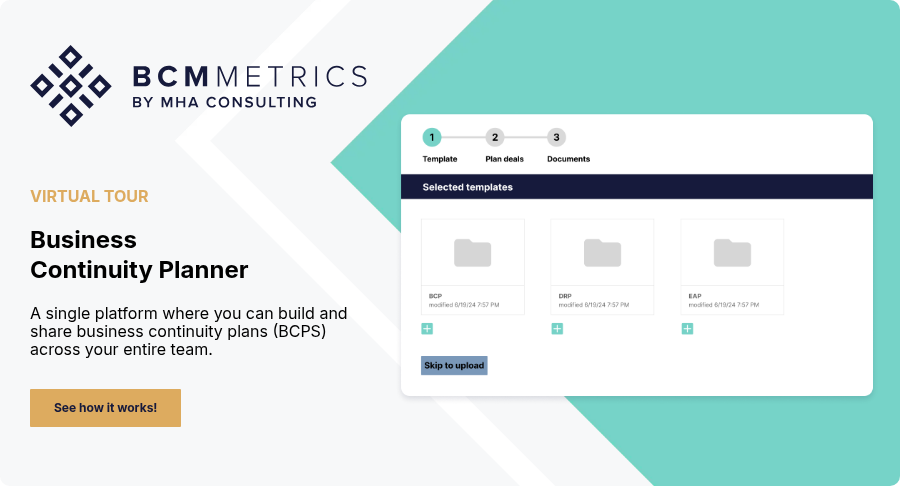
BCMMetrics' BCM One is organized around location-based records. Its public product workflow shows that teams can:
- Set up facilities
- Connect facilities to recovery plans
- Maintain site contacts
- Log events by site
- Update incident details as events develop
- Attach incident action plans
- Create briefing-session agendas
- Access archived closed incidents
BCM One does not determine whether information is accurate, decide whether an event should escalate, select the correct response action, or replace the organization's command structure. Those decisions remain with the response team.
What to Test During a Software Demonstration
The following are vendor-evaluation questions, not confirmed BCM One capabilities. BCMMetrics' public materials establish that BCM One supports site-based incident recording, incident updates, incident action plans, briefing-session agendas, and access to archived closed incidents. Verify the remaining workflows during the demonstration.
Use one of the scenarios above and ask the vendor to demonstrate how the system would:
- Create an incident tied to one location.
- Add or relate another affected site without losing the incident-wide view.
- Distinguish enterprise decisions from site-specific actions.
- Record the source and verification status of an update.
- Show timestamps and time zones clearly.
- Retrieve the site's current contacts, plans, maps, and response documents.
- Attach or update an incident action plan and briefing agenda.
- Correct an inaccurate entry without making the history misleading.
- Restrict sensitive information to the appropriate users.
- Close the incident and retrieve the archived record for review.
- Export the record in a usable format.
- Show what must be entered manually and what, if anything, comes from connected systems.
Record the Incident at the Level Where Decisions Happen
An incident log can be complete in chronological order and still be incomplete operationally.
Location context shows where the information applies, which site is affected, what local impact exists, who owns the response, and what needs to happen next.
For a single-site event, that may require one incident record tied to one facility. For a multi-site or regional event, it usually requires an incident-wide view supported by clearly separated site entries.
The goal is not to document every conversation. It is to preserve the facts, decisions, actions, and open questions needed to run the response, hand work between people, and understand the incident afterward.
Download the Business Continuity Planning Checklist to review whether your plans are communicated, shared, and available when an emergency occurs.
If your team is evaluating software for multi-location response, request a BCM One demonstration and use the scenarios and tests in this guide.
Frequently Asked Questions
What is the difference between an incident log and an incident action plan?
An incident log records notable facts, updates, decisions, actions, and open issues as the event develops. An incident action plan defines the objectives, responsibilities, constraints, and activities for a defined operational period. The log documents the evolving record. The IAP directs the next period of work.
Should a multi-site disruption have one incident log or separate logs?
A practical approach is one incident-wide record supported by clearly identifiable site-specific entries or linked site records. This preserves enterprise visibility without removing the local context needed for action. The exact structure depends on the organization and the software being used.
Who should maintain the incident log?
The response structure should assign a primary recorder and backup. The recorder documents verified information, decisions, and actions but does not replace the authority of the incident lead or decision makers. Site leads may supply local updates while a central recorder maintains the incident-wide view.