.png)
.png)
A plan approval workflow is the path a business continuity plan follows from draft to review to approval, with clear owners, clear status, and a record of what changed along the way.
In short
A good BC plan approval workflow makes it clear who reviews, who approves, what changed, and which version is current. The point is not more steps. It is less lag, less confusion, and a cleaner record of what has actually been reviewed.
- Separate draft, review, approval, and publish states
- Route plans to the right reviewers instead of everyone
- Keep a clear log of what changed, who reviewed it, and which version is current
That is the practical answer.
Most BC teams do not struggle because they lack plans. They struggle because plans sit in review too long, get comments from the wrong people, or come back without a clear decision. The result is familiar: multiple versions, stale content, unclear ownership, and a scramble when someone asks which copy is current. Ready.gov’s business continuity plan template points directly to the need for schedules, triggers, and assignments for periodic review of business continuity and IT disaster recovery plans.
For a program owner, that is more than an admin problem. It slows plan upkeep, weakens audit readiness, and makes it harder to show that the program is being maintained in a controlled way. FFIEC guidance, for example, says management should document, maintain, and test plans periodically, while the board should annually approve the institution’s business continuity program. That is sector-specific guidance, but it is a strong reminder that review and approval are part of governance, not just document editing.
What a BC Plan Approval Workflow Is Supposed to Do
A BC plan approval workflow should do four things well.
It should make it clear who is reviewing for accuracy, who is approving for accountability, what changed since the last version, and which version is the current approved one. NIST’s contingency planning guidance supports that discipline. It says plans should be reviewed for accuracy and completeness at an organization-defined frequency, updated when significant changes occur, and maintained with a formal record of changes and version control.
That means the workflow is not separate from plan quality. It is part of plan quality. A plan can be well written and still be hard to trust if no one can tell whether it was actually reviewed, who signed off, or whether the copy being circulated is the approved one.
A good workflow also reduces noise. The point is not to make more people touch the plan. The point is to get the right people involved at the right stage, leave a usable trail behind, and move the plan forward without unnecessary waiting.
Why Review and Approval Lag Happens
Lag usually comes from a few recurring issues.
The first is unclear roles.
Everyone is asked to “review,” but nobody knows who is checking operational accuracy, who is checking completeness, and who has authority to approve.
The second is broad routing.
The entire plan goes to everyone, even when only a few sections actually changed. That creates long review cycles and comments from people who are not close to the content.
The third is weak triggers.
If the team has no clear rule for when a plan should move back into review, then staffing changes, vendor changes, exercise findings, and recovery process changes sit unresolved longer than they should.
The fourth is poor status visibility.
The plan is “with someone,” but no one can tell whether it is in draft, under review, waiting for approval, or stalled.
The fifth is version confusion.
NIST recommends a record of changes and strict version control for a reason. Once multiple copies start circulating across email and shared folders, the review trail gets harder to defend.
Related reading
If you are working on the broader operating rhythm around plan upkeep and approvals, these related articles are useful next steps:
A Practical Approval Workflow That Works
Most teams do better with a simple four-stage model.
1. Draft
The plan owner or BC team updates the document. The goal here is not consensus. It is getting the plan ready for targeted validation.
2. Targeted review
Send the plan only to the people who can validate it. Usually that means the business owner, an operational owner, and anyone responsible for critical dependencies or recovery actions.
3. Approval
Approval should be narrower than review. In many programs, approval sits with an accountable manager, continuity lead, or another leader who can confirm the plan is ready to stand as the current version.
4. Publish and retain
Once approved, the plan moves to the current-state repository, with prior versions preserved according to policy and a visible record of what changed.
This kind of model matches the underlying guidance even if the exact workflow is your own. Ready.gov calls for review schedules, triggers, and assignments. NIST calls for regular review, updates after significant change, and formal change records. A practical workflow simply turns those expectations into something a small team can run consistently.
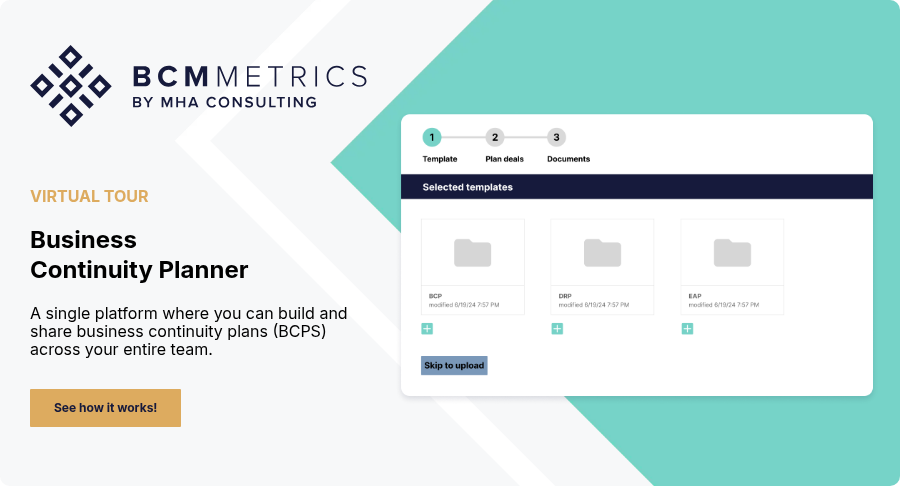
This is also where BCM Planner fits naturally. BCMMetrics' BCM Planner lets teams create, edit, store, and share plans in one place, manage plans centrally, and avoid version chaos and access issues. That is directly relevant when the main problem is not writing the plan, but moving it through review and approval without losing control of status or copies.
What Should Go to Review, What Should Go to Approval
Not every plan change needs the same path.
That is where many teams lose time. A contact update should not wait behind the same workflow as a major recovery process change.
In practice, it helps to separate updates into three buckets:
Administrative changes
Contacts, titles, links, and formatting. These usually need logging, but not full approval routing.
Operational changes
Recovery actions, dependencies, vendor assumptions, escalation paths, or workarounds. These usually need targeted review and documented confirmation.
Material changes
Anything that changes decision logic, recovery approach, accountability, or major assumptions. These usually need formal approval.
This is not a clause from a standard. It is practical workflow discipline. The reason it works is simple: it keeps minor edits from clogging the same path used for meaningful changes, while still leaving an evidence trail that shows what changed, who looked at it, and what is current.
Common Workflow Mistakes That Create Delay
The most common mistake is treating review and approval as the same thing.
They are not. Review is for validation. Approval is for accountability.
Another mistake is routing too broadly.
The more people in the chain, the slower the cycle and the less clear the decision.
A third is missing evidence.
If you cannot show who reviewed what, when they reviewed it, and what changed before approval, the workflow is harder to defend later.
A fourth is treating approved status as the end of the process.
It is not. Approved plans still need maintenance, exercise feedback, and event-driven updates. NIST is clear that plan maintenance should address changes and deficiencies identified during testing.
The fifth is leaving the workflow in email.
That is where status confusion, conflicting comments, and version drift multiply fastest.
If your next question is how response roles should be designed inside the plan, that is the adjacent strategic topic. That belongs more naturally in the related MHA article on crafting a crisis response team than in this workflow-focused piece.
Conclusion
A strong plan approval workflow does not add bureaucracy for its own sake.
It reduces lag by making four things visible: who reviews, who approves, what changed, and which version is current.
That is usually what teams are missing.
Not effort, but a clean path from update to confirmation to approved record.
Take the Next Step
If you are trying to tighten plan reviews, approvals, and follow-through, the Audit-Ready BCM Governance Calendar is a useful next step. It gives teams a more practical operating rhythm for reviews, decisions, and evidence retention.
If your team is still passing plans around in email and shared folders, BCM Planner is the BCMMetrics module built for this kind of day-to-day review and approval workflow, with centralized plan management and less version confusion.
Request a demo if you want a closer look at how teams manage plan review, approval, and current-state visibility with less manual chasing.
FAQ
What is a plan approval workflow in BCM?
A plan approval workflow is the structured path a continuity plan follows from draft to review to approval, with clear ownership, status, and evidence of what changed.
Who should review and approve BC plans?
Reviewers should usually be the people who can validate the plan’s operational accuracy. Approvers should be the narrower group accountable for confirming the plan is ready to stand as current.
How do you reduce delays in BC plan approvals?
Reduce routing breadth, separate review from approval, define triggers for updates, keep status visible, and use change logs so the approver can see what actually changed.
What evidence should a BC plan approval workflow retain?
A good workflow should retain who reviewed the plan, when they reviewed it, what changed, who approved it, and which version is the current approved copy.