.png)
.png)
The best BCM software is not necessarily the platform with the longest feature list. It is the one that can turn continuity work into useful reporting, preserve the evidence behind the program, and remain practical enough that people will keep using it.
Those three questions should sit at the center of your BCM software evaluation:
- Can it show management what is happening?
- Can it support the conclusions and status it reports?
- Can the organization maintain the underlying information?
Security, implementation effort, integrations, support, and cost still matter. But they should be evaluated in the context of whether the software can support the continuity program you need to operate.
In short
- Define the decisions the software must support before comparing features.
- Test reporting with your own management and audit questions.
- Trace reported results back to their evidence, owner, and review history.
- Ask ordinary contributors to perform routine tasks during the evaluation.
- Score demonstrated performance, not promised capability.
- Treat security, implementation, integrations, support, and total cost as fit requirements, not footnotes.
Start With the Decisions the Software Must Support
Many BCM vendor evaluations begin with a spreadsheet containing dozens or hundreds of features. Vendors confirm whether each feature exists, procurement totals the results, and the platform with the most checked boxes appears to win.
That process can hide the questions that matter.
A platform may technically produce reports but still require substantial manual preparation. It may store documents without showing which evidence supports a particular assessment. It may offer extensive configuration but require so much effort that business-unit contributors avoid using it.
Before issuing requirements or scheduling demos, define the decisions the platform must help people make.
For a program owner, those decisions might include:
- Which business processes and systems require the most attention?
- Which plans, BIAs, assessments, or exercises are overdue?
- Where does the program fall short of a selected standard or internal requirement?
- What evidence supports the reported status?
- Which corrective actions remain open, and who owns them?
- What has changed since the previous assessment or management review?
For an executive approver, the questions are usually narrower:
- Where is the organization most exposed?
- Is the continuity program improving?
- Which gaps require funding, authority, or another management decision?
- Can the reported position be supported if an auditor, customer, or regulator challenges it?
- Is the organization likely to use the software after purchasing it?
A useful evaluation starts with these decisions and works backward. The platform's features should support the required outputs, evidence, and work routines.

Evaluate Reporting, Evidence, and Adoption
Reporting: Can the Platform Answer Management's Questions?
A dashboard is not automatically a useful report.
A BCM platform should convert program data into information that fits the audience. Practitioners may need plan status, assessment details, overdue actions, BIA results, and exercise findings. Management usually needs trends, material gaps, exposure, ownership, and decisions requiring attention.
Ask each vendor to demonstrate:
- How reports are created from current program data
- Whether results can be filtered by business unit, location, requirement, or other relevant category
- How current results compare with prior assessments
- Whether gaps and overdue work remain visible
- Which export formats are available
- How much manual preparation is needed before a report can be presented
- Whether users can trace a summary result back to its source
The test is not whether the software has a reporting tab. The test is whether your team can answer a real management question without rebuilding the analysis elsewhere.
For example, ask the vendor to show which continuity requirements have the weakest implementation, what evidence supports those findings, and how the result has changed since the previous review.
If the answer requires an offline spreadsheet, manual reconciliation, or vendor assistance, include that effort in the evaluation.
Evidence: Can You Defend the Reported Position?
Reporting communicates a conclusion. Evidence supports it.
A percentage, status color, or maturity score has limited value if the team cannot explain where it came from. During an audit or customer review, the organization may need to show the applicable requirement, the assessment response, supporting documentation, the person responsible, and what happened after a gap was identified.
Evaluate whether the platform can connect:
- Requirements or assessment questions
- Current responses and scores
- Supporting documents
- Named owners
- Corrective actions
- Review dates and prior assessments
- Changes made after review or remediation
Also examine retrieval. Ask someone unfamiliar with the original assessment to find the evidence supporting a selected result. If that person has to search several folders, email the program owner, or guess which document is current, the evidence process remains dependent on individual knowledge.
This lifecycle matters because business continuity is not a one-time documentation exercise. ISO 22301:2019 describes a management system that organizations establish, implement, operate, monitor, review, maintain, and improve. Software should make that recurring work easier to document. It does not make the organization compliant by itself.
Adoption: Will People Maintain the Information?
Reporting and evidence depend on current data. Current data depends on people completing the work.
That makes adoption a control issue, not merely a user-experience preference.
A platform can perform well in a vendor-led demonstration and still fail in daily use. The risk is especially high when the BCM team relies on business-unit owners, IT specialists, facilities staff, or other contributors who use the system only occasionally.
Test common tasks with people who did not configure the platform. Ask them to:
- Update a contact or dependency
- Review an assigned assessment question
- Attach supporting evidence
- Find an open action
- Approve or return an item
- Locate the current plan or report
Watch what happens without coaching. Count the steps, note where users hesitate, and record when administrator assistance becomes necessary.
The existing BCMMetrics guide to evaluating software adoption covers this issue in greater depth. For this evaluation, the important point is simple: do not award adoption points based on appearance or vendor assurances. Score the tasks your contributors can actually complete.
Use a Weighted BCM Vendor-Evaluation Scorecard
The following scorecard keeps the three primary lenses central while leaving room for procurement requirements.
The weights are practical starting points, not an industry standard. Adjust them before vendor demonstrations if your regulatory environment, technical requirements, or operating model calls for a different balance.
| Evaluation area | Weight | What the score should reflect |
|---|---|---|
| Reporting | 30 | Ability to answer management, program, audit, and improvement questions using current data |
| Evidence | 30 | Traceability between requirements, responses, documents, owners, actions, and review history |
| Adoption | 25 | Ease of completing routine work without repeated training or administrator support |
| Security and access | 5 | Fit with the organization's access, protection, retention, and review requirements |
| Implementation and support | 4 | Internal effort, vendor responsibilities, training, and ongoing assistance |
| Integrations and data movement | 3 | Required imports, exports, interfaces, and limits |
| Total cost and contract fit | 3 | Subscription, implementation, support, change, and renewal costs |
| Total | 100 |
Score each area from zero to five:
| Score | Meaning |
|---|---|
| 0 | Not available or not demonstrated |
| 1 | Major gaps or substantial manual work |
| 2 | Partially meets the requirement |
| 3 | Meets the defined requirement |
| 4 | Meets the requirement with limited added effort |
| 5 | Performs clearly under the organization's test scenario |
Multiply each rating by the category weight, then divide by five. A vendor receiving a rating of four for reporting would earn 24 of the available 30 points.
Do not let the total score override a mandatory requirement. A platform could score well overall and still be unsuitable because it fails a required security, contractual, or data-handling condition.
Just as important, require a note beside every score. The note should identify what the vendor demonstrated, what remained uncertain, and what work would fall back on your team.
Test Real Work During the Vendor Demo
A polished demonstration shows the workflow the vendor wants you to see. A useful evaluation tests the workflow your organization will need.
Give each shortlisted vendor the same six tasks:
- Produce a management report showing current program status, material gaps, and changes since the prior review.
- Trace one reported result back to its requirement, response, supporting evidence, owner, and review date.
- Record a gap, assign a corrective action, and show how progress becomes visible.
- Update one routine data point and show where that change appears elsewhere.
- Have a non-administrator complete a review or approval task.
- Export the information needed for an internal meeting, customer request, or audit review.
Use a representative sample of your own program structure when confidentiality and procurement rules allow it. Otherwise, give every vendor the same hypothetical organization, requirements, users, and reporting request.
Consider two platforms that both claim reporting, document storage, and action tracking.
Vendor A produces a dashboard but cannot connect the reported gap to its supporting document without several manual steps. Routine updates require an administrator.
Vendor B produces a simpler report, but the reviewer can move directly from the result to the evidence, assigned action, owner, and prior assessment. An occasional contributor can complete an update without assistance.
A feature checklist may treat the vendors as equivalent. The task-based test exposes the operational difference.
Record what happens during the demonstration. "Available" should not receive the same score as "demonstrated successfully."
Decide Whether the Platform Fits Your Program
The final decision should reflect the organization you actually have, not the program you might build several years from now.
Before selecting a vendor, confirm:
- The program activities that must be managed in the platform
- The standards and internal requirements that apply
- The people who will supply, review, approve, and maintain information
- The reports management expects
- The evidence the organization must retain
- The technical and security conditions the vendor must meet
- The effort required to implement and administer the software
- The complete cost over the intended contract period
Large organizations integrating continuity into a broad governance, risk, and compliance environment may need extensive configuration and cross-enterprise integrations. A focused BCM team may place greater value on guided workflows, usable reporting, direct evidence management, and lower administrative burden.
Neither approach is automatically right. The fit depends on how the software will be used and maintained.
For deeper guidance on reviewing the current program before defining software requirements, see MHA Consulting's compliance gap analysis guide.
Is BCMMetrics Right for Your Program?
BCMMetrics may be right for your program if your continuity team needs to manage the core BCM lifecycle without adopting a broad enterprise GRC system.
Across the complete suite, teams can conduct BIAs, manage continuity plans, support reviews and approvals, record exercises, maintain site information, assess standards alignment, and produce reports. The modules can be used together or selected according to program needs.
For reporting and evidence, Compliance Confidence provides guided assessments based on selected continuity standards. Users can attach documents to assessment areas, create action items, retain assessment history, compare results over time, and generate reports for management or auditors.
This makes BCMMetrics particularly relevant when:
- The continuity function has limited staff
- Important records are divided among spreadsheets, documents, and email
- Management needs a clearer view of strengths, gaps, and progress
- The organization needs to connect assessment results with evidence and follow-up work
- The team wants complete BCM functionality without the administration required by a broader risk platform
Turn the Evaluation Into a Management Decision
A good BCM software evaluation does more than identify the platform with the most capabilities. It shows whether the proposed system can support better decisions, more defensible evidence, and consistent program upkeep.
Use the scorecard to structure your shortlist. Use the six demo tasks to test the claims. Then show management what the selected platform will change, what it will require, and how its value will be evaluated after purchase.
Download Demonstrating the Value of Your Business Continuity Program to Management for practical guidance on presenting continuity value and building internal support.
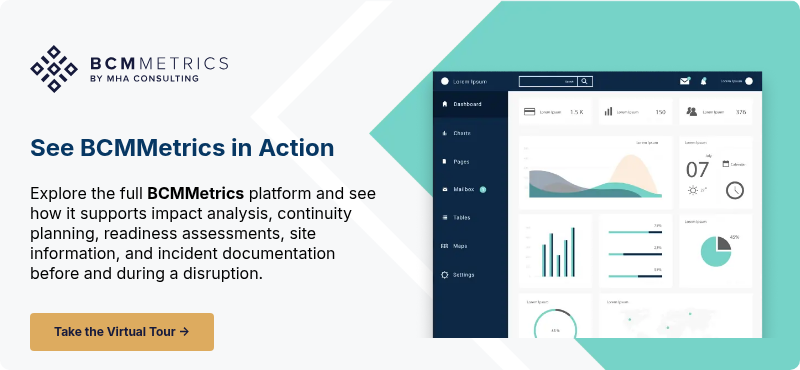
If BCMMetrics fits your requirements, schedule a demonstration and ask the team to perform the evaluation tasks using your reporting, evidence, and adoption scenarios.